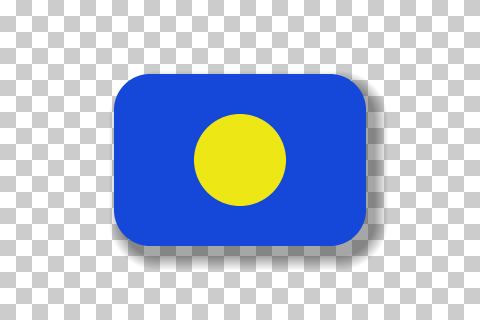
Does a checkerboard background mean my PNG is transparent?+
No. The grey-and-white checkerboard is only how editors and viewers draw empty pixels. If the squares stay visible when you place the image on a dark background, they were saved into the image as ordinary pixels. That is the most common “fake transparent PNG”: the checker counts zero transparent pixels and flags the painted pattern.
What is the difference between transparent and semi-transparent pixels?+
Each PNG pixel can carry an alpha value. Alpha 0 is fully transparent, the maximum value (255, or 65535 in a 16-bit file) is fully opaque, and anything in between is semi-transparent. Semi-transparent pixels are normal on anti-aliased edges, shadows and glows. A large share across the whole image can make an overlay look hazy.
Why does my PNG have an alpha channel but no transparency?+
Many apps always save RGBA files, even when the background is white. The file is able to store transparency, but every pixel is set to fully opaque. The checker reads every pixel instead of trusting the file header, so it reports this case as no transparency.
Why did my transparent PNG turn white on my iPhone?+
Saving the image to the Photos library, iCloud “Optimize iPhone Storage” and some sharing paths can convert or flatten it. Use “Save to Files” instead of “Save Image”, and send the original file rather than a copy from Photos. Then check the file you actually received.
Can I make a JPEG transparent by renaming it to PNG?+
No. JPEG has no alpha channel, so the background is solid colour no matter what the file is called. This checker reads the first bytes of the file and tells you when a .png is really a JPEG, WebP, HEIC or Photoshop file.
How do I fix a PNG that is not transparent?+
Go back to the source and export again with transparency on: hide the background or paper layer, and tick the transparency option (Canva Pro “Transparent background”, Clip Studio “Export transparency”). A painted checkerboard is very hard to remove cleanly, so getting the original export is usually faster than editing it out.
Is my image uploaded anywhere?+
No. The file is read and decoded by JavaScript inside this browser tab. Nothing is sent to ImageRework or any other server, and no account or credits are needed. The sample buttons only download our own example files.
Does it work with animated PNG (APNG) and very large files?+
For an animated PNG only the first (default) image is checked, and the result says so. Files must be under 10 MB and 16 megapixels so the check stays responsive on phones. Damaged or truncated files get a specific error instead of a guessed result.