Image-to-image editing is useful when composition matters. Upload a visual reference, describe the transformation, and tell ImageRework which elements must stay recognizable.
1
Upload photo
JPG, PNG or WEBP · up to 10 MB
Drop a photo hereor click to choose
Use a clear photo and one main change. Avoid explicit or graphic content. Do not ask the edit to add text, logos, or watermarks.
2
Describe the change
Say what to change and what to keep.
Upload a photo first to enable this button.
Charged only after a result is saved. Failed edits use 0 credits.
One prompt. A visible difference.
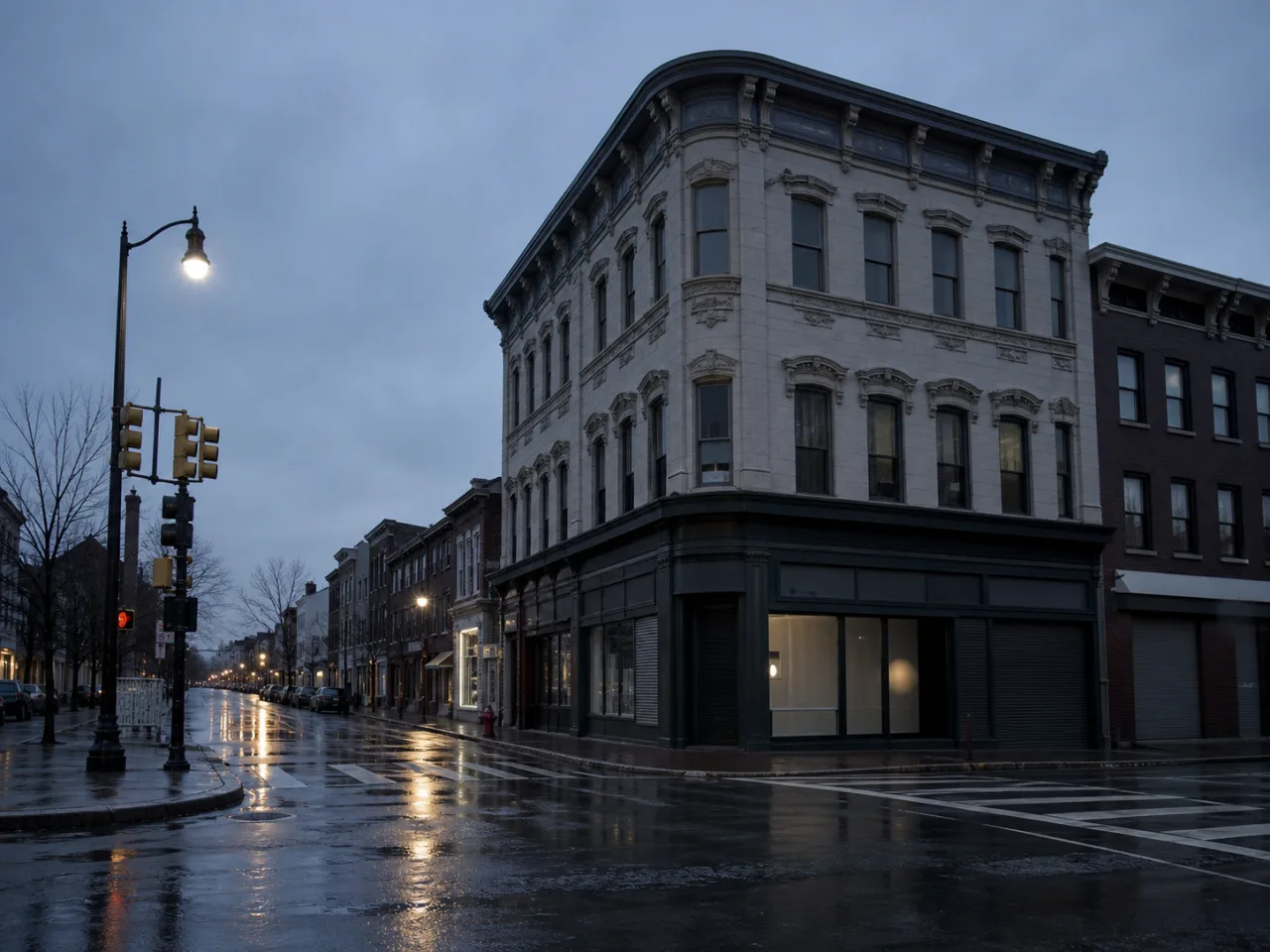
Before
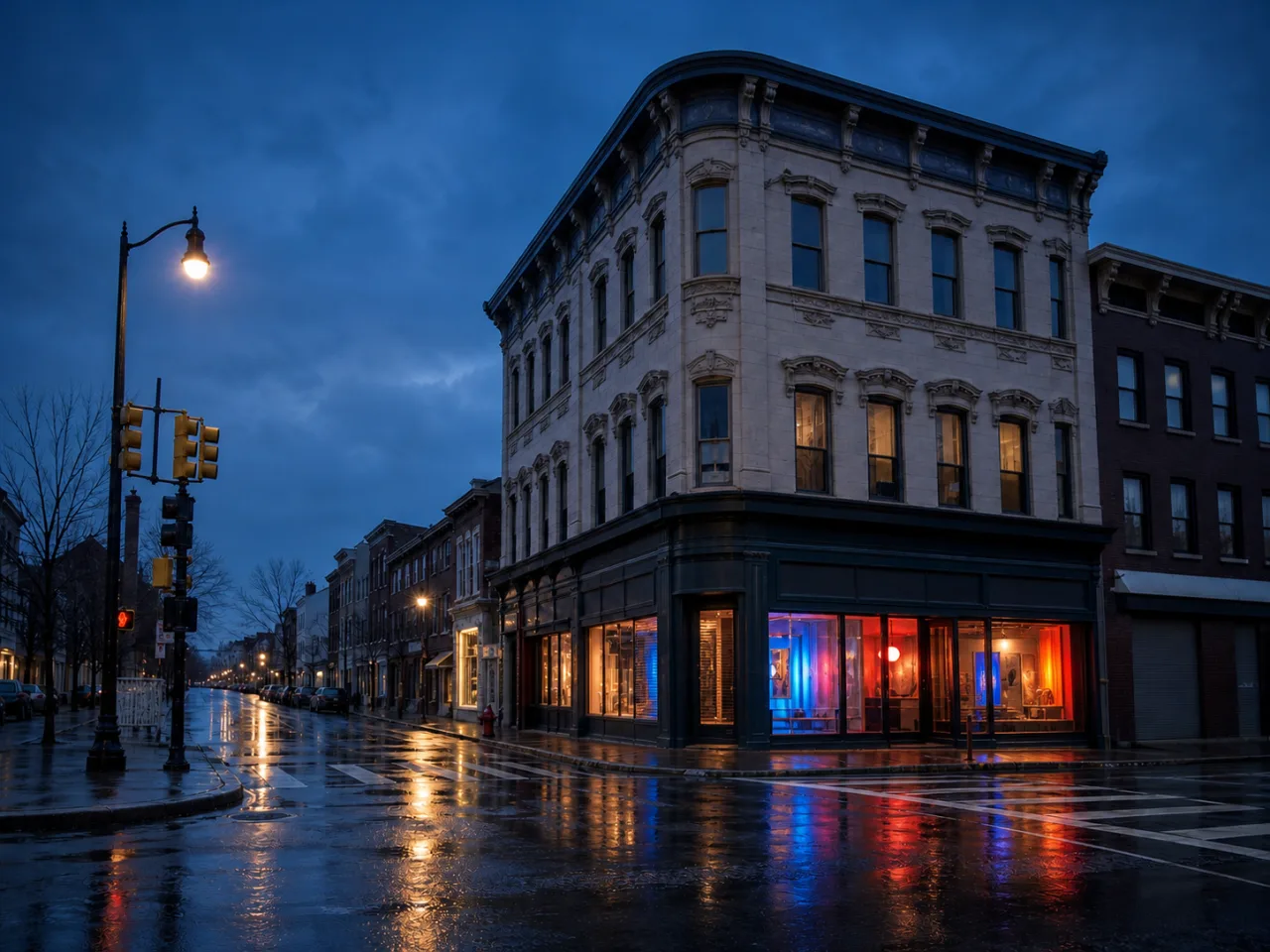
After
Demo prompt Open the corner shop with cobalt, coral, and amber light. Keep the building and camera angle.
✓Change the whole image
✓Compare before and after
✓Mark up to 5 areas to refine
Reviewed examples
What a specific prompt can change
Each example names both the requested change and the details that should be preserved.
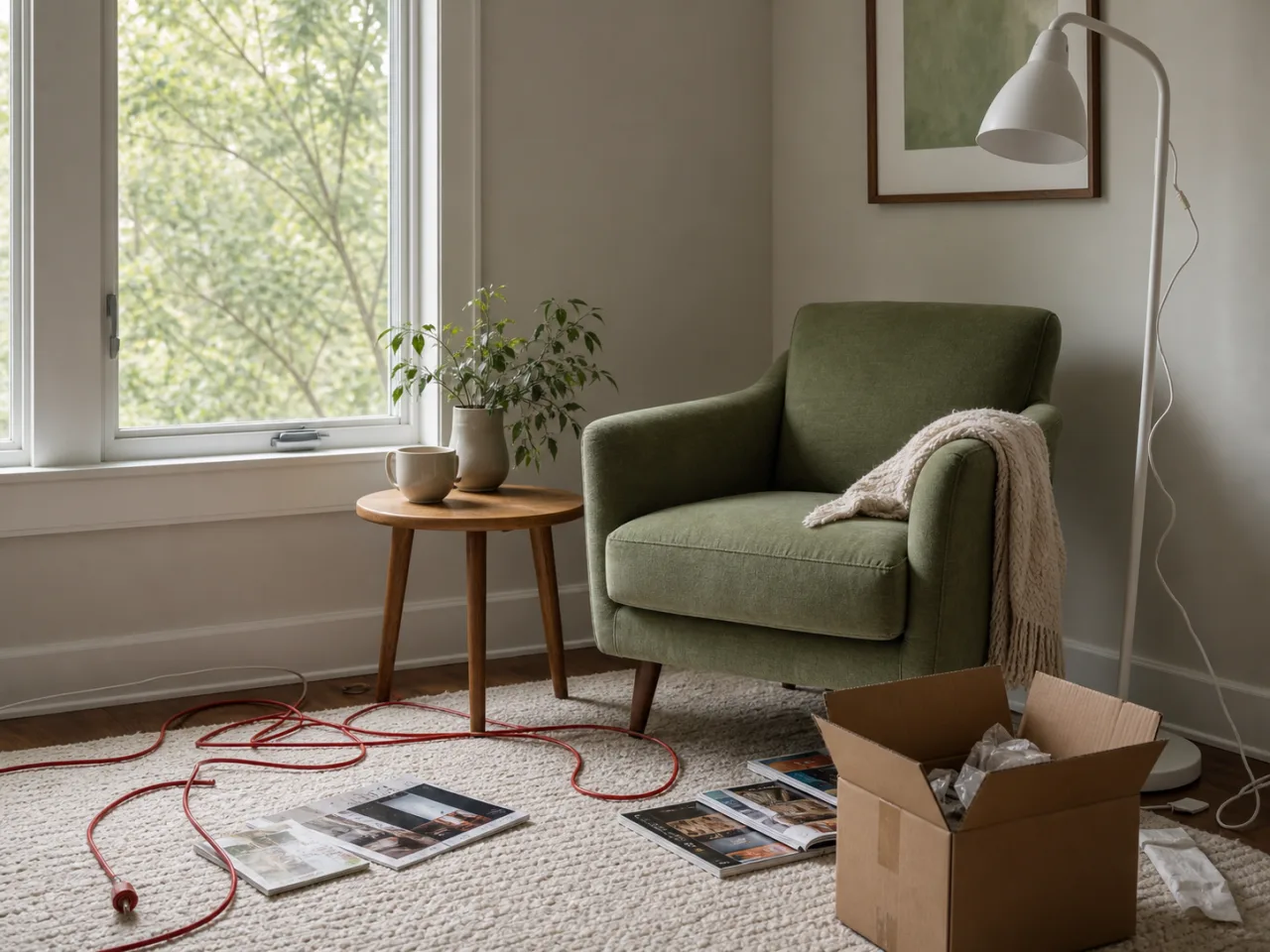
Before
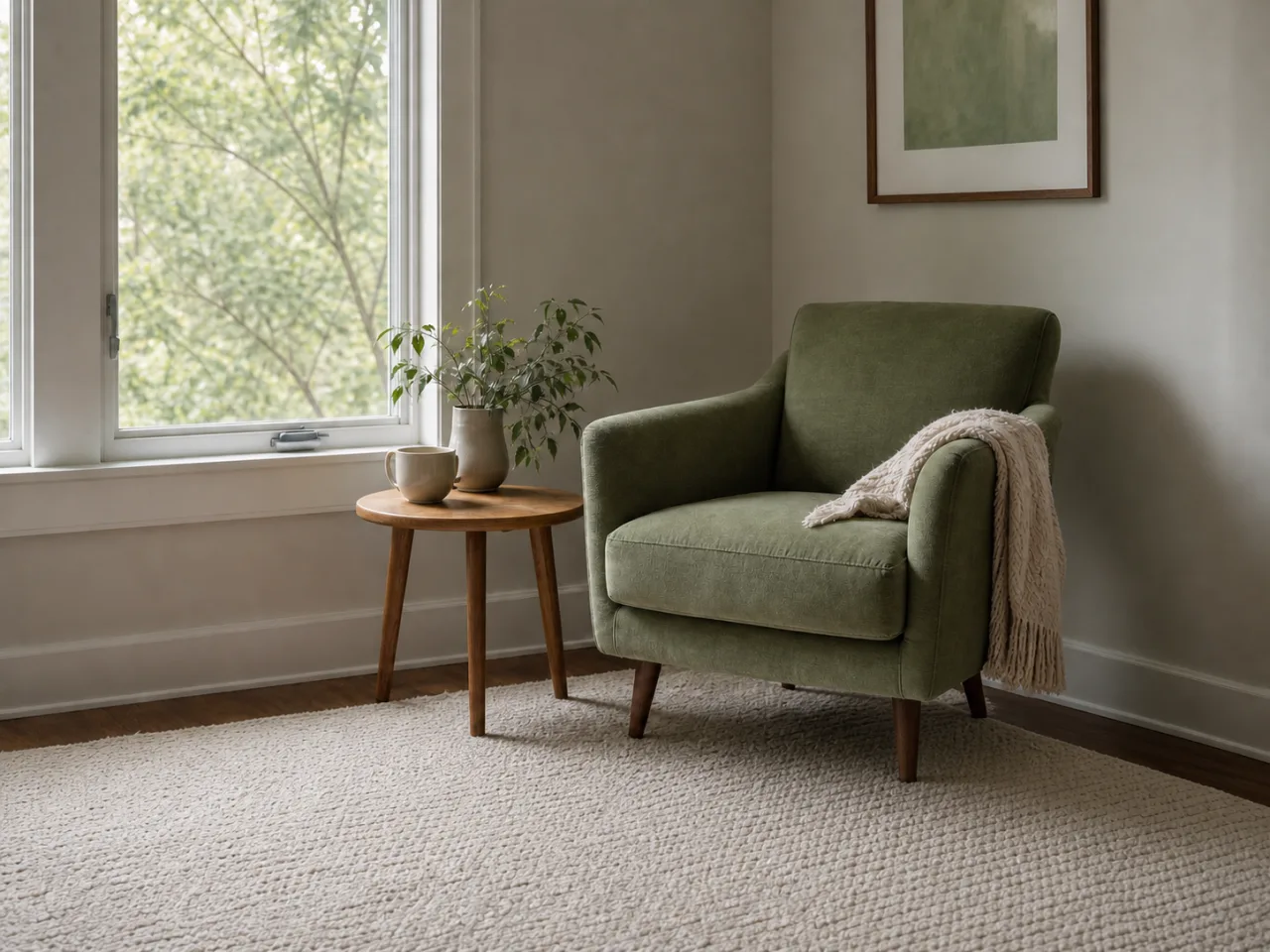
After
Light a rainy storefront for a night campaign
Prompt “Open the corner storefront as a contemporary art shop with cobalt, coral, and amber light. Strengthen the wet-street reflections. Keep the camera angle and architecture unchanged.”
Prompt “Remove the red cable, cardboard box, packing material, floor lamp, and magazines. Reconstruct the rug, wall, baseboard, and floor. Keep the chair, table, window, and light unchanged.”
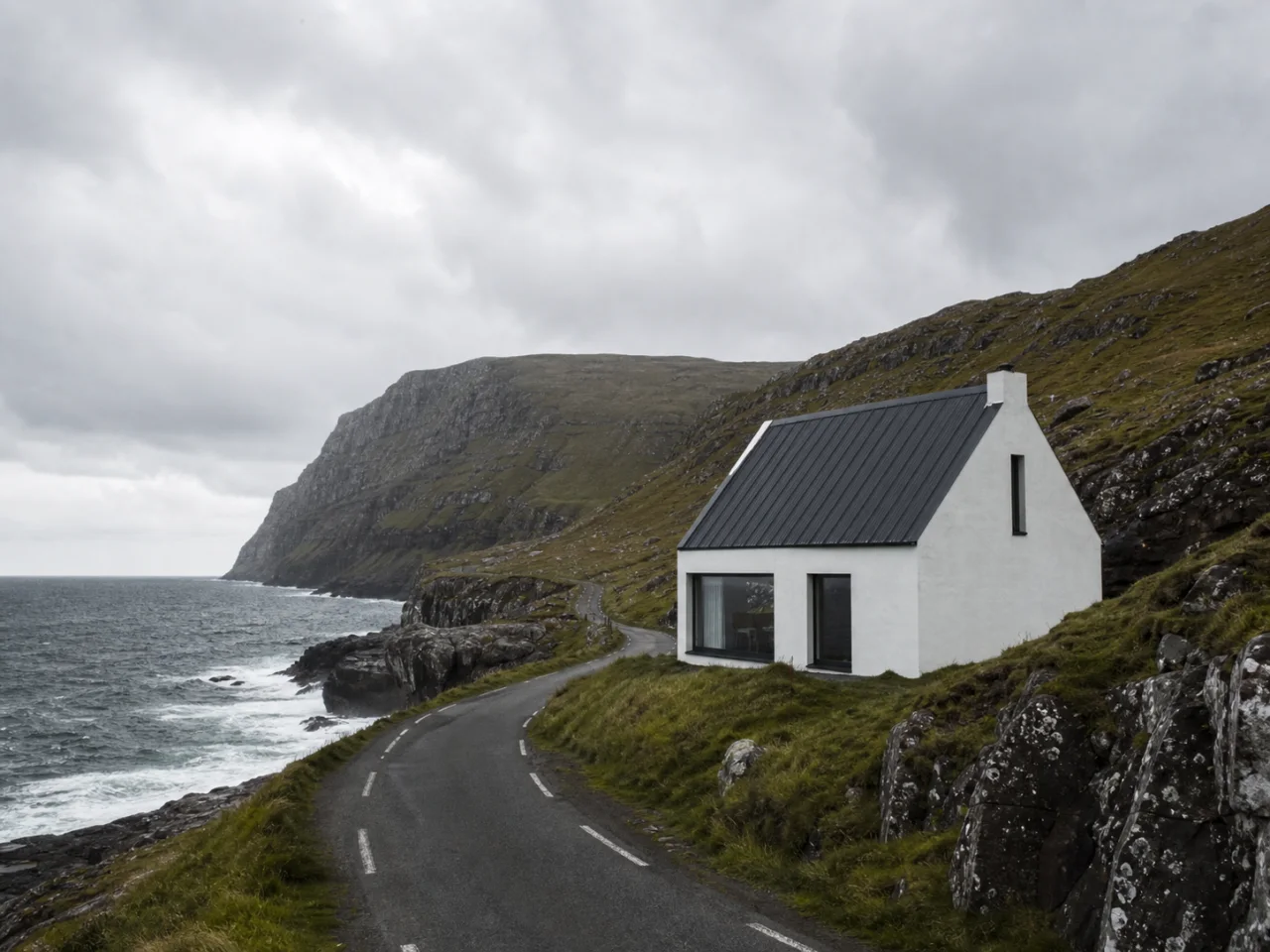
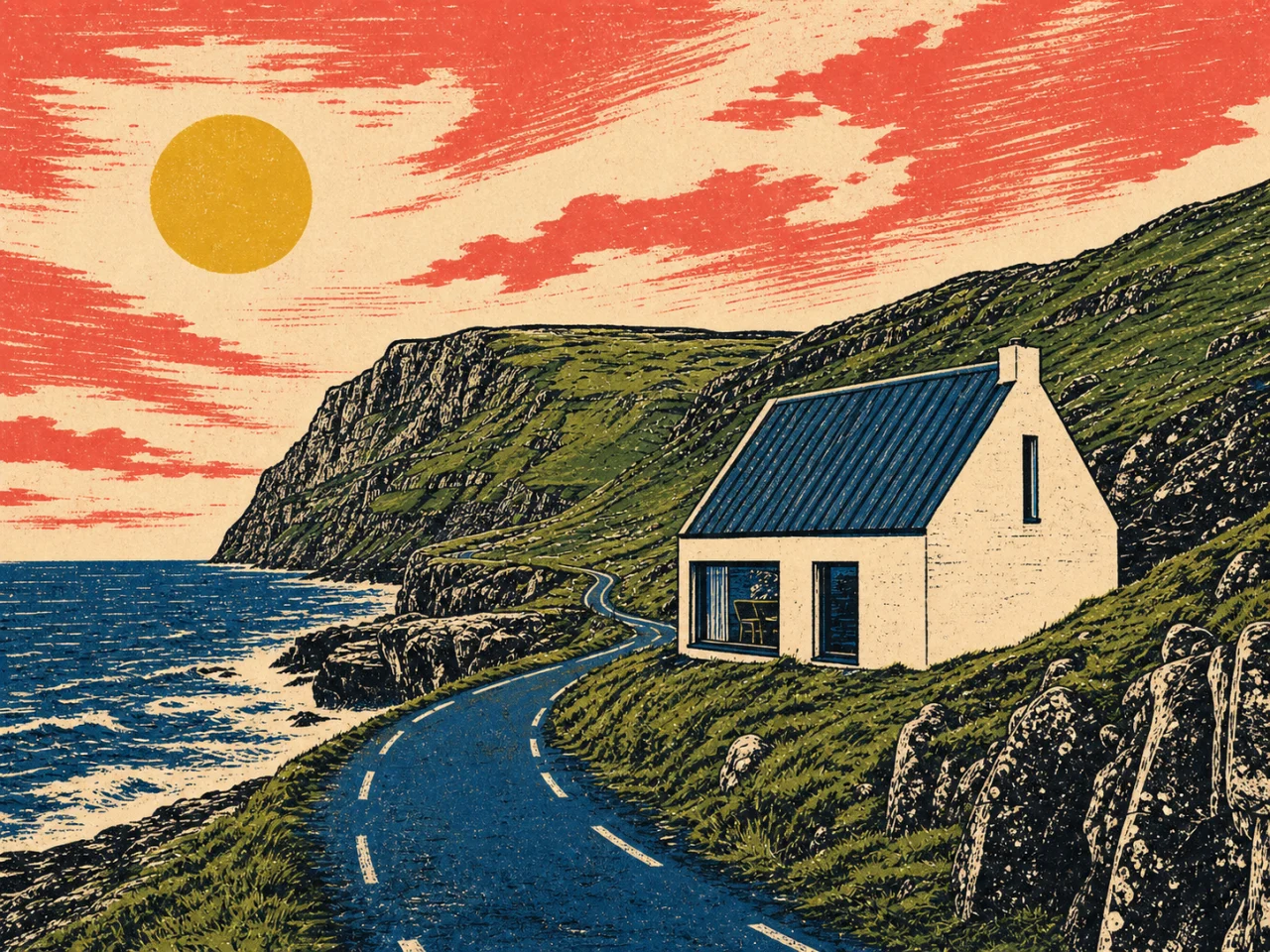
Prompt “Keep the road curve, cabin, cliff, coastline, and camera angle. Restyle the scene as a hand-inked Western relief print with a limited cobalt, coral, cream, green, and yellow palette.”
Use image-to-image AI as art direction, not a reset button
Image-to-image AI works best when the uploaded image already solves composition. The source provides relationships that would be difficult to rebuild from text alone: where the road turns, how a person is posed, how a product sits in frame, or where the horizon meets a building. A strong prompt tells the model which relationships are the brief and which visual qualities are free to change.
Case 01
Translate a photograph into a printmaking system
The coastal example keeps the road curve, cabin shape, cliff, coastline, and camera angle while changing almost every surface treatment. Specifying a hand-inked Western relief print, bold black keylines, rough texture, and a limited palette gives the transformation a coherent system. The preservation list prevents the style request from becoming a new landscape.
PromptPreserve the road curve, cabin, cliff, coastline, horizon, and camera angle. Restyle the scene as a hand-inked Western relief print with black keylines and a limited cobalt, coral, cream, green, and yellow palette.Use
Review: Compare the cabin footprint, road direction, horizon height, and coastline silhouette before judging the artwork. Then check whether the palette and line treatment remain consistent across sky, architecture, vegetation, and foreground.
Case 02
Move an approved product shot into a campaign world
A campaign variation should retain the commercial asset that has already been approved. Protect the product shape, viewpoint, material, and contact point. Invite change around it through set design, color, light, and shadow. Version history is useful here because several art directions can branch from the same source without overwriting one another.
PromptKeep the chair, viewpoint, scale, materials, seams, and leg geometry recognizable. Transform the studio into a bold editorial set with coral walls, an acid-yellow plinth, sharp light, and graphic shadows.Use
Review: Check the source and result at the same scale. Reject any version that adds hardware, changes the seat angle, or invents a different material. Keep promising directions as separate child versions rather than refining all concepts into one branch.
Case 03
Change season or time while preserving place
Season and time-of-day prompts often drift into a different location. Anchor the place with permanent features such as building mass, street layout, mountain profile, tree position, or camera height. Then describe weather, foliage, surface moisture, light direction, and color temperature as the variables the model may reinterpret.
PromptChange this scene from a dry afternoon to an early winter evening. Preserve every building, road, mountain outline, tree position, and the camera height. Add light snow, cool dusk light, and warm windows with believable reflections.Use
Review: Inspect fixed geometry first, then look for seasonal consistency. Snow should sit on plausible upward-facing surfaces; shadows and window light should agree with the requested time; repeated objects should not appear or disappear without instruction.
Case 04
Turn a clean photograph into a consistent editorial illustration
An illustration request needs more than the word “artistic.” Choose line weight, surface texture, color count, realism, shadow treatment, and how much small detail should survive. Protect the arrangement and the features that make the subject recognizable. This is especially useful when one approved photograph must become a poster, cover, or campaign treatment without inventing a new composition.
PromptKeep the framing, subject silhouette, pose, major objects, and negative space. Transform the image into a restrained editorial illustration with heavy black contour lines, flat cobalt and coral shapes, cream paper texture, and minimal modeled shadow.Use
Review: Check that the visual grammar is consistent across foreground and background. Compare identity and major objects with the source, then inspect whether line weight, palette, texture, and shadow follow one system instead of mixing unrelated styles.
Choose the right amount of AI
One editor does not make every job the same.
Choose image-to-image
Use this workflow when the source is a visual brief and the goal is a new style, material, season, mood, or campaign treatment. Expect some fine-detail reinterpretation and plan to compare carefully. Name the structural anchors before describing the new visual system.
Choose the AI image editor
Use the general editor when most source pixels are already useful and the job is removal, repair, replacement, or a targeted correction. Smaller permission usually produces less drift.
Choose text-to-image
Start from text only when no existing composition needs to survive. ImageRework is designed around an uploaded source, so it is strongest when the original image contributes real structure to the result.
Before download
Review the image, not just the effect
The checklist turns an attractive result into a reviewable asset. Use it on every saved version, especially when the image contains identity, text, products, architecture, transparent material, or commercial claims.
The prompt separates structural anchors from the requested visual transformation.
The medium is described through line, texture, palette, material, light, and level of realism.
The transformation has one coherent direction instead of several conflicting styles.
Composition, identity, product geometry, and readable text are compared with the source.
Fine-detail drift is corrected in a marked follow-up after the overall direction works.
Alternative art directions branch from the root so a successful version is never overwritten.
How to use it
One change first, detail second
1
Start with a clear source
Upload a JPG, PNG, or WEBP under 10 MB. Keep the subject and important edges visible.
2
Name change and preservation
Say what should change, then list the face, pose, product, text, or composition that should stay.
3
Inspect and refine
Compare before and after. Mark up to five areas for a more focused follow-up version.
Good fits
When to use this workflow
Art direction from a reference
Retain framing and subject placement while changing style, material, season, or mood.
Campaign variations
Explore several visual directions from one approved source and retain the full branch history.
Restoration as transformation
Use a damaged or faded source as a structural guide for a cleaner, more complete version.
It uses your uploaded image as visual context, then applies a written transformation while trying to retain the structure you asked to preserve.
How is this different from text-to-image?+
Text-to-image begins from words alone. Image-to-image begins from your composition, subject, and visual relationships, which gives you a clearer starting point.
How do I keep the composition?+
State the camera angle, framing, subject placement, and any details that must not move. Make one main transformation at a time.
Can I refine the generated version?+
Yes. Open the marked-area refinement, point to the areas that need work, and create a child version.